
💳 How to Add a Payment Method
Adding a credit card is easy and only takes a minute!
📌 Here’s how to do it:
- Log in to your Pearl Diver account - https://pearldiver.blackpearl.com/
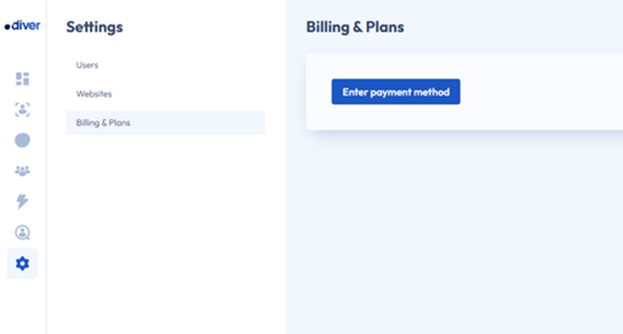
- Go to Settings > Billing & Plans
- Click Enter payment method
- Fill in your card details
- Click Add card
✅ If the details are valid, your card will be saved and you’ll see a success message.
⚠️ If the details are invalid, you’ll get an error message. Just double-check your details and try again.
🔄 What Happens Next?
Once your card is added successfully, the last 4 digits and expiry date will be displayed on the Billing & Plans page.
You can update you card anytime by clicking Replace Card.
Canceling your subscription
If you want to know more about how to cancel your account you can read the full help guide
https://help.pearldiver.io/cancel-your-pearl-diver-subscription
https://help.pearldiver.io/cancel-your-pearl-diver-subscription